In design and construction, everything starts with the city around us. Yet, the persistent gap between macro-scale planning and precision BIM modeling forces design teams to rebuild context, leading to errors and delays.
Qonic and Cityweft are tackling this problem head-on. Today, we share this vision in action: the connected workflow between Qonic and Cityweft!
This collaboration demonstrates how to bridge the divide between large-scale urban context and detailed building-level design. This is a critical example of how data moves across tools, not into silos.
See it working
We’ve recorded a short video showing the full workflow: from exploring a site in Cityweft to modeling detailed components in Qonic. Watch how quickly context transforms into design.
Qonic is built for connection and context
BIM doesn't happen in a vacuum. Since projects involve multiple tools and teams, Qonic was fundamentally designed for connection. Our collaborative workflow with Cityweft shows this principle in practice by uniting two crucial capabilities:
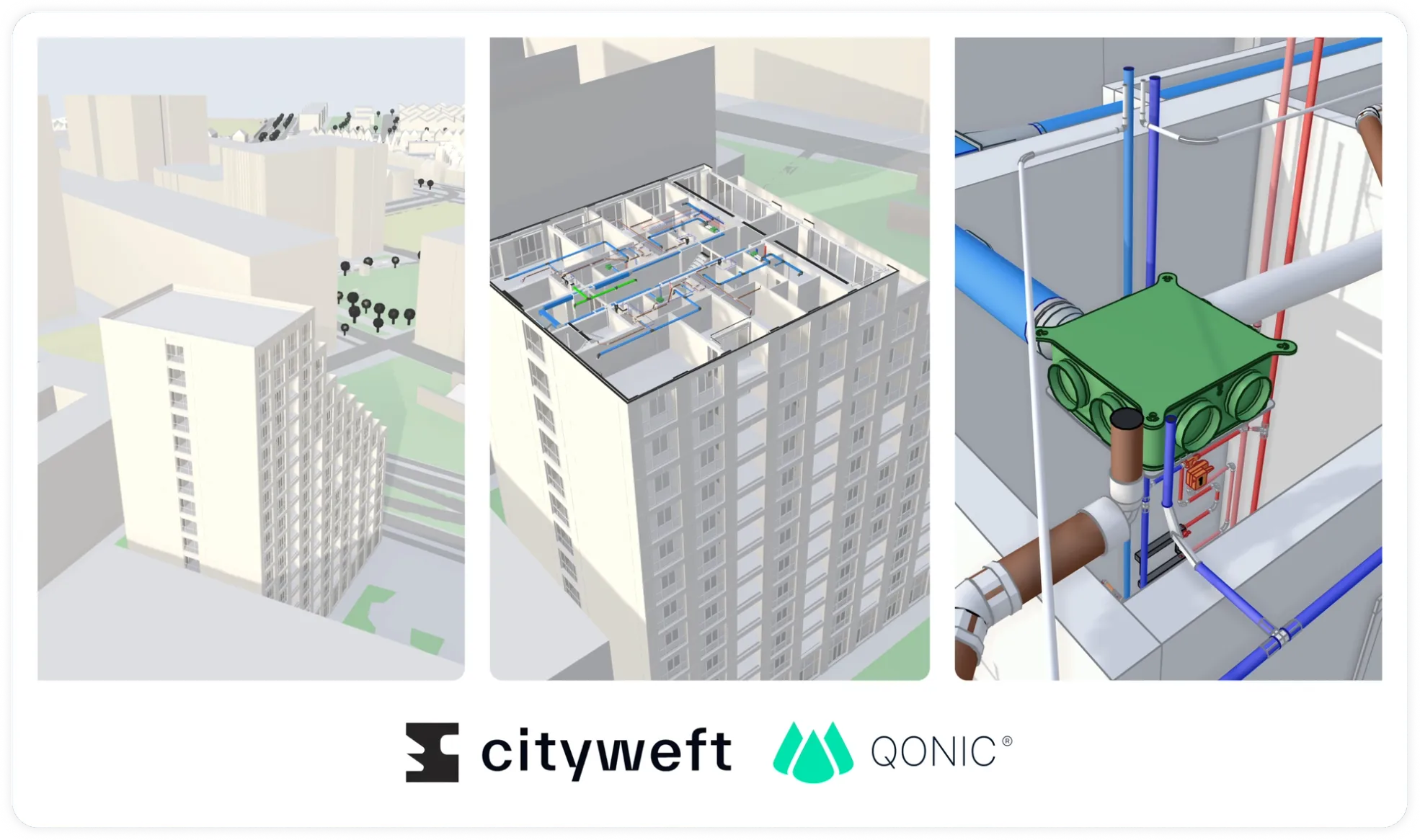
- Cityweft delivers the wider city model: a detailed 3D view of terrain, surroundings, and infrastructure.
- Qonic adds the next layer: precise, data-rich BIM modeling inside that exact context.
Both platforms live in the browser, ensuring context and detail stay connected. No installations, just a smooth hand-off from city to building.
From city scale to building scale
When you explore a new site in Cityweft, you are immediately inside the digital city. You can examine topography, existing structures and street networks in 3D. From there, you transition straight into Qonic, pulling the validated site data directly into your BIM model.
Architects and engineers instantly add geometry, information, and intelligence. Your model sits exactly where it should, aligned with its surroundings and ready for design work. This small shift in process removes huge amounts of manual effort and uncertainty.
The workflow today: simple and accurate
The current connection between Qonic and Cityweft solves the data hand-off using a simple workflow:
- Cityweft – Select your site and generate the contextual 3D data.
- Export – Send that model directly to Qonic.
- Qonic – Open it and begin modeling your project in context.
By connecting city-scale data directly with building-scale modeling, Qonic and Cityweft bridge two separate worlds, proving that open BIM means every tool does what it does best with data that actually flows.
What comes next
This initial connected workflow is a crucial step. It is the first proof point on a longer journey. We are actively building the next phase of this workflow to make it truly seamless. Our teams are already working on:
- A deeper, file-free connection through APIs. This will allow for live updates between Cityweft and Qonic.
- Enhanced geolocation features to ensure instantaneous, perfect alignment without manual checks.
In time, you’ll be able to move from early-stage analysis to detailed modeling without ever leaving the shared environment. That's simply a better way to work.
Want to try the connected workflow yourself? Try Cityweft: https://app.cityweft.com/login and Qonic: https://app.qonic.com
This blog continues our series on open, collaborative AEC workflows. If you missed the previous chapter on how open standards underpin our approach, read this blog.
FAQ – Qonic × Cityweft Workflow
What does this workflow solve?
It closes the data gap between urban context and BIM detail, drastically reducing rework and helping teams start with accurate, geolocated data.
How does the workflow function today?
Cityweft exports the 3D city or site model, which is then opened directly in Qonic. All geometry and coordinates remain consistent.
What’s next?
We are developing a direct, API-based connection to make the data flow continuous, eliminating file exports and imports entirely for truly connected information.